Cinematic Neo-Noir Motel Fire Prompt
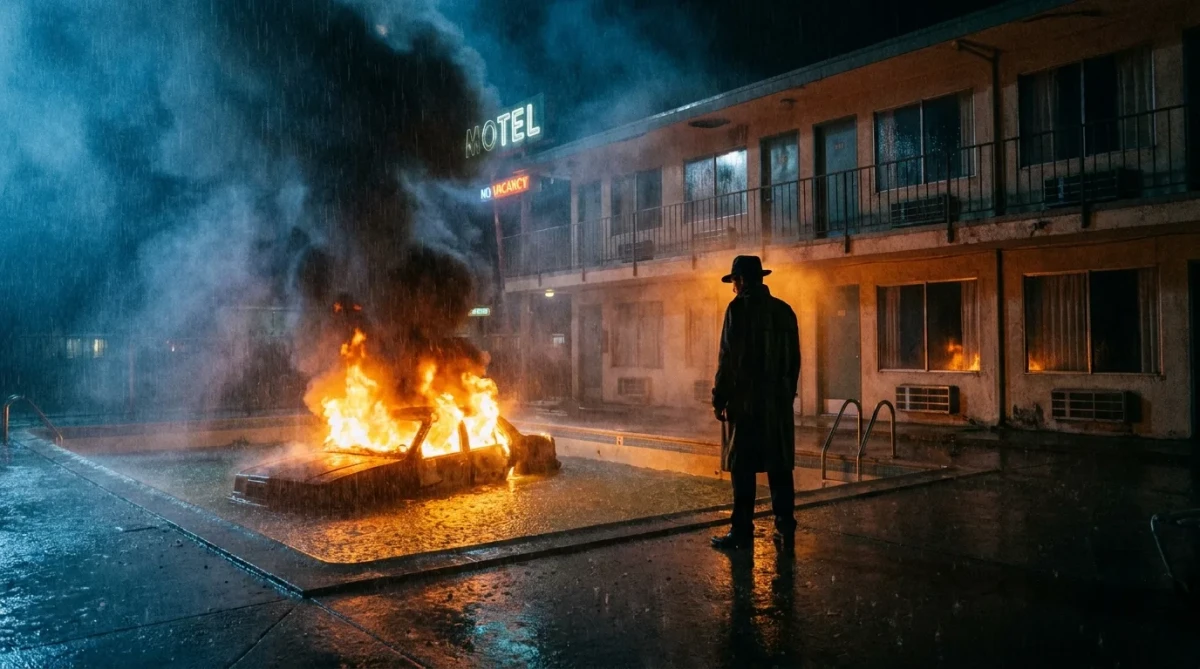
A dramatic neo-noir scene of a car crashed and burning in a motel pool, with heavy rain and film grain for a tense, moody atmosphere.
Prompt Body
Cinematic neo-noir wide shot at night outside a rundown two-story motel. A silhouetted man in a long coat and fedora stands motionless by the edge of a motel swimming pool, watching a car that has crashed into the water and is now violently engulfed in flames. A massive plume of bright orange fire and thick black smoke rises dramatically from the submerged vehicle, violently illuminating the man, the wet concrete deck, and the turquoise pool water.

Heavy rain falls across the entire scene. The two-story motel building with its dark windows and balconies forms a grim, shadowy backdrop. The intense warm glow of the fire contrasts sharply with the deep blue-black shadows of the courtyard and the rainy night sky. Reflections of the flames dance across the wet ground and the surface of the pool.

Strong dramatic high-contrast lighting, heavy film grain, rich atmospheric haze from rain and smoke. Moody, tense and cinematic neo-noir atmosphere with a strong sense of danger and isolation. Highly detailed textures on the wet concrete, water, fire, smoke and the man’s clothing. Shot with an anamorphic lens aesthetic and cinematic color grading.
Rate this prompt:
Guide & Practical Tips
How to use this prompt
This prompt is designed for Nano Banana (Gemini Pro) to generate a cinematic neo-noir scene. Paste the entire prompt into the image generator. For best results, use a structured format if supported: separate sections for Subject, Scene, Lighting, Camera, Color, and Constraints. Maintain the key elements: wide shot, night, motel, pool, burning car, silhouetted man, heavy rain. The high contrast and film grain are critical for the noir aesthetic.
Best use cases
- Visual storytelling for crime or thriller narratives
- Album art or movie poster concepts
- Editorial imagery for dark, moody articles
- Game concept art for noir or detective settings
- Social media visuals for atmospheric content
What to adjust
- Change the motel to a different building (abandoned warehouse, gas station)
- Adjust the fire size or add more smoke
- Modify the man's clothing or remove him for an empty scene
- Alter the rain intensity or replace with fog
- Experiment with color grading: warmer or cooler tones
- Switch aspect ratio: 16:9 for cinematic, 9:16 for vertical
Common mistakes
- Overloading with too many subjects—keep the scene focused
- Ignoring lighting contrast—ensure the fire illuminates the scene clearly
- Removing film grain or haze—these are essential for the mood
- Using conflicting camera terms (e.g., close-up with wide shot)
Variations
- Darker version: Increase shadows, reduce fire brightness for a more mysterious look
- Daytime version: Change night to twilight, keep rain and mood
- Empty pool: Remove water, car crashes into dry pool
- Multiple characters: Add a second figure watching from a balcony
- Stylized neon: Introduce neon signs in the background for a cyberpunk-noir blend
- Minimalist: Focus only on the burning car with minimal smoke and no man
You might also like
Bioluminescent Cyber-Ronin Rainstorm Prompt
GPT Image 2
Surreal Dystopian TV-Head Figures Prompt
GPT Image 2 Premium
Neo-Noir Amber Portrait: Cinematic Close-Up
Nano Banana
Raw Boxing Portrait – Gritty Cinematic AI Prompt
Nano Banana
Gritty Soccer Slide Tackle in Rain
Nano Banana
Desperate Run Through Flower Field at Twilight
GPT Image 2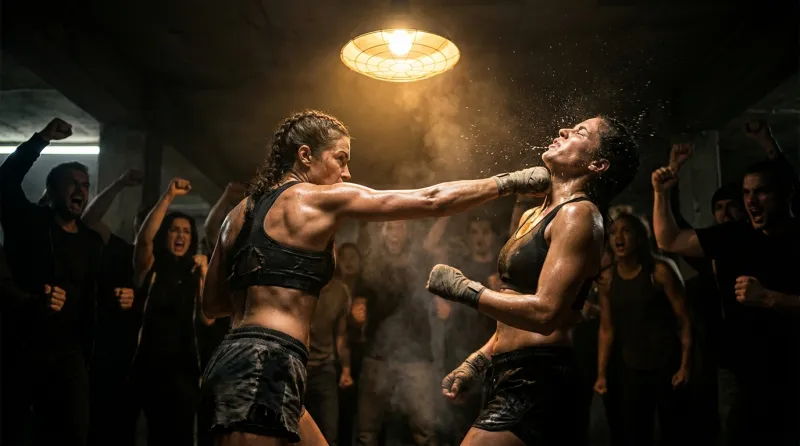
Underground Bare-Knuckle Fight AI Prompt
Nano Banana