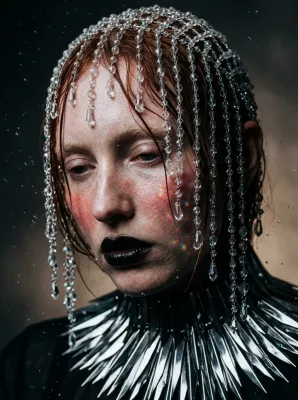
Chiaroscuro Hat Portrait for i2i
A dramatic portrait of an elegant woman in a wide-brimmed hat, illuminated by intense golden-hour sunlight in extreme chiaroscuro. Ready for image-to-image transformation.
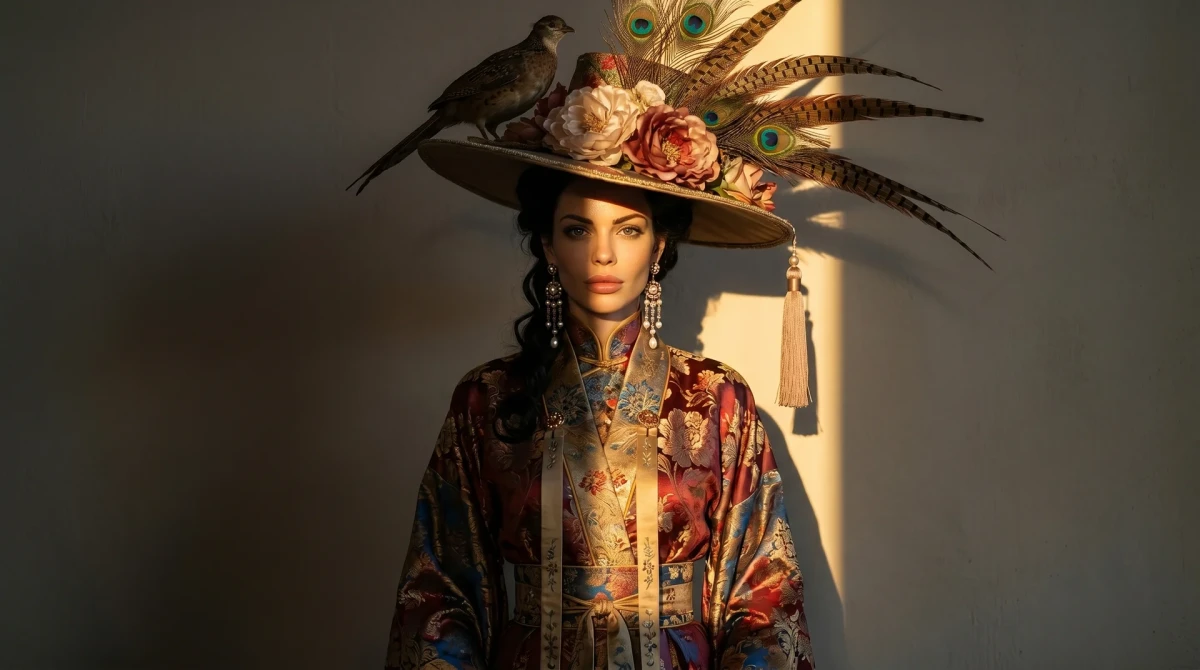
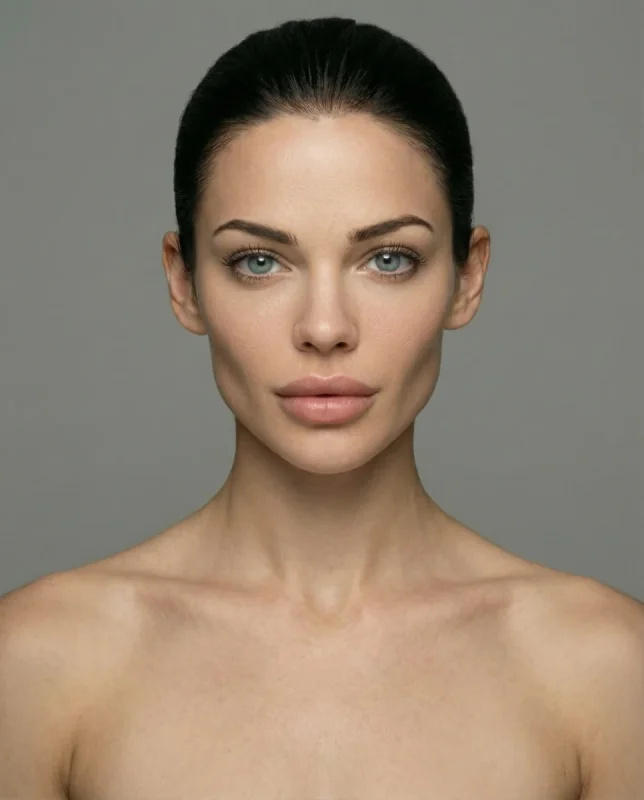
Transform the reference woman into a young elegant lady standing frontally against a plain textured wall. She wears an elaborate wide-brimmed hat decorated with large flowers, multiple big feathers and a small bird perched on the upper left side. A long tassel hangs from the right brim. Add long tiered dangling earrings and styled hair framing her face.

She is dressed in a luxurious layered robe with intricate floral patterns, high collar and long decorative sashes.

Dramatic extreme chiaroscuro lighting: a sharp, intense golden-hour sunlight slice cuts diagonally across her body and hat, creating highly saturated golden highlights, while the rest of the scene is dominated by deep, solid charcoal and espresso shadows. Razor-sharp photographic detail, rich textures on fabrics and feathers, cinematic fine-art portrait style.
Guide & Practical Tips
How to use this prompt
This prompt is designed for image-to-image (i2i) transformation using Nano Banana. Start with a reference photo of a woman – ideally a front-facing portrait with clear facial features. Upload it as Reference 1 and specify that the face and identity must be preserved. The prompt will transform her into an elegant lady with a dramatic hat and luxurious robe.
For best results, use a structured instruction format:
- Subject: Preserve the woman’s face, hair texture, and skin tone from Reference 1. Replace her clothing and accessories as described.
- Scene: Standing frontally against a plain textured wall (suggest concrete or plaster with subtle grain).
- Lighting: Extreme chiaroscuro – a sharp diagonal slice of golden-hour sunlight from upper left. Rest of scene in deep charcoal and espresso shadows.
- Style: Cinematic fine-art portrait with razor-sharp detail, rich fabric textures, and saturated golden highlights. Add subtle film grain.
- Output: 4:5 aspect ratio for portrait orientation.
Best use cases
This prompt is ideal for:
- Fashion editorial portraits – the elaborate hat and layered robe create a high-fashion look.
- Fine-art photography – extreme chiaroscuro evokes classical painting.
- Advertising campaigns for luxury perfumes, accessories, or haute couture.
- Image-to-image experimentation – test how your reference transforms into a dramatic character.
What to adjust
- Hat details: Change flower type, feather colors, or remove the bird for a simpler silhouette.
- Background wall: Specify brick, marble, or velvet texture for a different mood.
- Lighting angle: Move the sunlight slice to the right or soften its intensity.
- Color palette: Adjust the robe’s floral pattern to match a brand or season. Replace golden hour with cool moonlight.
- Aspect ratio: Use 1:1 for square composition or 16:9 for cinematic width.
Common mistakes
- Overloading the scene: Keep the background minimal – excessive props compete with the intricate hat and robe.
- Losing the reference identity: If the transformation alters the face, add an explicit instruction to preserve facial structure from Reference 1.
- Flat lighting: Ensure shadows are truly deep (near black) to maintain chiaroscuro contrast. If the result is too bright, lower exposure or add a vignette.
- Generic model prompt: Avoid filler words like “masterpiece” – instead describe visible qualities like “silk tassel texture” or “feather barb detail.”
Variations
- Minimalist version: Remove the bird and tassel, reduce hat decoration, use a monochrome robe.
- Noir version: Convert to black-and-white, keep only rim light from one edge.
- Surreal version: Replace the hat with an oversized floral arrangement or a miniature cityscape.
- Product version: Use the composition for a jewelry or perfume ad – zoom in on earrings and tassel.
- Environmental portrait: Move the subject to a window or balcony with natural light filtering through curtains.
You might also like
Chiaroscuro Portrait with Amber Rim Light
Nano Banana
Sultry 1970s Pool Hall Film Still
GPT Image 2
Hyper-Realistic Surreal Tri-Color Portrait Prompt
GPT Image 2
Whimsical Gothic Elongated Bellhop Portrait
GPT Image 2 Premium
Cyborg Mechanic Portrait with Neon Rim Light
Nano Banana
Vintage Football to Cinematic Remaster
Nano Banana
90s Flash Fashion Editorial Portrait
Nano Banana